Quick summary
HR has quietly turned into a marketing function. The moment a company has to compete for candidates instead of sorting through a pile of them, the work starts to look like demand generation: build an audience, tell a credible story, capture interest, and measure what converts. The job titles still say “recruiter” and “people partner,” but the daily tasks now include writing copy, running social campaigns, and reading analytics.
That shift is why a list of digital marketing tools for HR teams is worth taking seriously. The right stack helps you attract candidates before a role opens, keep talent pools warm, and turn your careers page into something better than a job board feed. The wrong stack is a drawer of half-used logins that no one measures.
This guide groups the tools by the job they do, not by brand popularity. You will find what each category is for, which tools fit small and large teams, how to choose, and how to tell whether any of it is working. Where we have a deeper review, we link to it so you can check pricing and features in detail before you commit.
If you are still assembling the core of your HR software setup, treat this as the layer that sits on top: the tools that bring people in, not the ones that process them once they arrive.
Why HR teams need a marketing toolkit now
The candidate behaves like a buyer
A strong candidate researches your company the same way they research a product. They read reviews, scan your social feeds, check whether your careers page loads on a phone, and form an opinion before they ever apply. If that experience is thin or generic, they self-select out, and you never see them in your applicant tracking system.
Marketing tools exist to shape that pre-application experience. They let you publish consistently, present a coherent employer brand, and respond fast enough that interest does not cool. None of that is optional when the best people have three other offers in motion.
Marketing skills are now part of the HR job
The shift is not only about software. It changes what good looks like in an HR team. Writing a job ad that reads like a person wrote it, reading a simple analytics report, and keeping a content calendar are now core skills, not optional extras.
This does not mean hiring a marketer for every team. It means the people doing recruitment need a working grasp of attraction and measurement, and the tools in this guide cover most of what they need to apply those skills. The tool is the easy part. The habit of using it consistently is what separates teams that fill roles from teams that scramble.
Recruitment marketing is a funnel, not a job post
Posting a role is the last step of recruitment marketing, not the whole thing. The funnel starts with awareness, moves through interest and consideration, and ends with an application. Each stage needs a different kind of tool: social and content for awareness, a talent CRM and email for nurture, a clean careers site and scheduling for conversion.
Treating the funnel as one undifferentiated task is the most common reason HR marketing stalls. You cannot fix a low application rate with more job ads if the real problem is that nobody knows your company exists. Mapping tools to funnel stages is the difference between activity and results.
A weak candidate experience leaks talent quietly
The damage from a poor pre-application experience is invisible because it shows up as an absence. Candidates who hit a broken careers link, a stale feed, or a confusing form do not complain. They leave, and you never learn they were interested.
That silent leak is expensive in two ways. You refill the top of the funnel again and again instead of compounding an audience, and the people most likely to leave early are often the ones with options, which means you lose strong candidates first.
Marketing tools reduce the leak by making the experience consistent and quick. A branded page, a fast reply, and a simple form do not feel like marketing to the candidate. They feel like a company that has its act together, which is the signal a strong hire looks for.
Six tool categories that make up an HR marketing stack
Each category does a different job in the recruitment funnel. Most teams need three or four, not all six. Use this as a map before you read the tool write-ups below.
Builds awareness and reputation. Look for scheduling, a content calendar, and basic engagement analytics.
LinkedIn Buffer Canva
Converts interest into applications. Look for a branded careers page builder and a talent CRM to track pipelines.
SmartRecruiters TalentLyft
Keeps warm candidates engaged between roles. Look for automation, segmentation, and template libraries.
EngageBay GetResponse Mailchimp
Smooths the candidate experience and gathers signal. Look for branded forms and calendar integrations.
SurveyMonkey Typeform Calendly
Tells you what is working. Look for traffic, source, and conversion tracking on your careers content.
Google Analytics Search Console
Speeds up production of job ads, posts, and employer videos. Look for brand controls and a review step.
ChatGPT Jasper VEED
Matching tools to HR marketing jobs
Start with the job, then pick the tool
Most tool regret comes from buying software before defining the job it serves. A team buys a talent CRM because a competitor uses one, then discovers it has no candidate audience to nurture yet. The order matters: name the marketing job, identify the tool type, then shortlist products.
The table below pairs the recurring HR marketing jobs with the tool type that handles each and the metric that proves it worked. Read it as a decision aid, not a shopping list. The same product often covers more than one row, which is part of why stacks get bloated if you are not deliberate.
HR marketing jobs mapped to tool type and metric
| The job to be done | Tool type | What to measure |
|---|---|---|
| Make people aware the company is hiring | Social scheduling and design | Reach, follower growth, post engagement |
| Look credible when candidates research you | Employer brand content and video | Careers page time on page, video completion |
| Capture interest before a role is live | Talent CRM and landing pages | Talent pool size, opt-in rate |
| Keep passive candidates warm | Email marketing and automation | Open rate, reply rate, reactivation |
| Turn interest into a completed application | Branded careers site and scheduling | Application completion rate, time to schedule |
| Learn why candidates drop out | Surveys and feedback forms | Response rate, drop-off stage |
| Prove which channels deliver hires | Web and source analytics | Source of applicant, cost per applicant |
Employer branding and social media tools
This category builds awareness and shapes how candidates perceive you before they apply. The tools here help you publish consistently, design content that does not look amateur, and keep a presence on the platforms where your candidates spend time.
01. LinkedIn Talent Solutions
LinkedIn Talent Solutions remains the default for professional hiring because the audience is already there. It combines job posting, candidate search with detailed filters, and employer branding through company pages and career sections.
For HR teams, the value is the overlap between sourcing and brand. The same platform where you post a role is where candidates check your culture, your people, and your content. That makes it a branding tool as much as a sourcing one.
The analytics show how posts and job ads perform, which lets you see which messages pull applicants and which fall flat. Pricing is quote based and skews expensive, so it suits teams hiring at steady volume rather than one role a year. If your hiring is occasional, lean on the free company page and reserve paid features for active campaigns.
A concrete use: run a four-week campaign around a hard-to-fill role, pairing a sponsored job post with two or three organic posts from the hiring manager’s own profile. The organic posts often outperform the paid ad, because candidates trust a person over a company page.

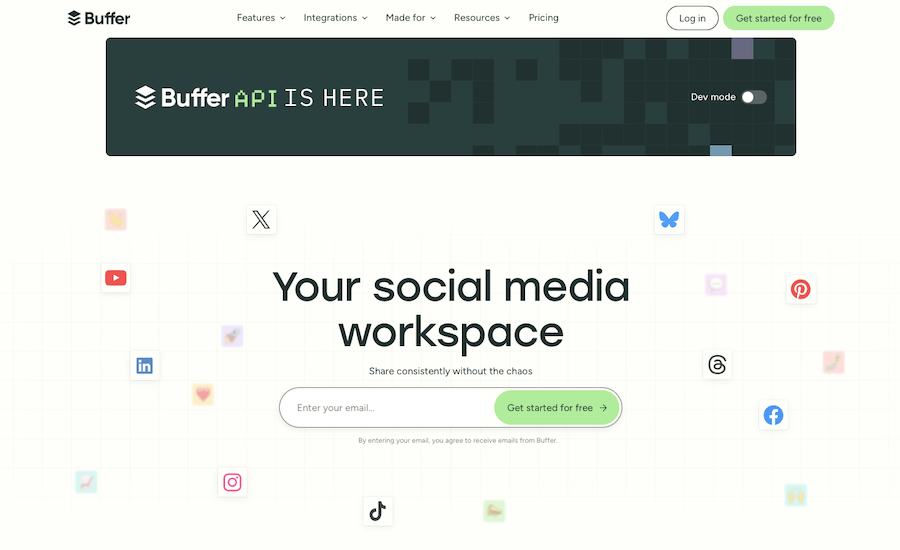
02. Buffer
Buffer handles the part of employer branding that breaks down without a system: posting on schedule across several channels. You draft once, queue posts for LinkedIn, Instagram, and others, and keep a visible content calendar so the feed does not go quiet for three weeks.
It is light enough for an HR team that does not have a dedicated social person. The free tier covers a few channels, and paid plans add scheduling depth and analytics. Hootsuite is the heavier alternative if you need approval workflows and team roles, though it costs more and carries features most HR teams will not touch.
Buffer earns its place by making consistency cheap. Employer brand is a compounding asset, and the teams that win are the ones that show up every week, not the ones that post a burst before a hiring push and then disappear.
03. Canva
Canva closed the design gap for HR teams that have no designer. Templates for social posts, job ad graphics, offer letters, and internal decks mean a people partner can produce on-brand visuals in minutes without opening professional design software.
The Brand Kit feature on paid plans keeps logos, fonts, and colors consistent, which matters more than it sounds. Inconsistent visuals across LinkedIn, your careers page, and email quietly signal a disorganized employer, and candidates notice.
Use it for recruitment campaign graphics, employee spotlight posts, and the visual layer of onboarding material. It pairs naturally with a scheduler like Buffer: design in Canva, queue in Buffer, measure in your analytics tool.
One workflow worth setting up: a reusable template set for recruitment posts, employee spotlights, and event graphics, locked to your brand colors and fonts. New posts then take minutes and stay consistent, even when different people on the team create them.

04. Missinglettr
Missinglettr automates social posting by turning long form content into a year of drip campaigns. For a team that publishes a careers blog or employer brand articles, it extracts quotes and visuals and schedules a steady stream of posts from each piece.
It is built for bloggers and small teams rather than large recruiting operations, and its platform support is narrower than Buffer or Hootsuite. Reviews praise the automation but flag that AI-generated posts need a human edit before they go live.
Treat Missinglettr as a budget option for stretching content further, not as your primary branding engine. If you produce regular long form content and want it recirculated without daily effort, it fits. If you need precise control across many channels, choose a dedicated scheduler.

Recruitment marketing and careers site tools
These platforms sit between marketing and the recruitment software you already use. They build branded careers pages, run a talent CRM, and treat candidate attraction as a campaign rather than a job board post.
05. SmartRecruiters
SmartRecruiters is a cloud talent acquisition platform that brings application tracking, recruitment marketing, and candidate communication into one place. It carries job ads across channels and gives candidates a consistent branded experience from first click to application.
The marketing strength is multichannel distribution and a candidate experience that feels designed rather than bolted on. Automating repetitive steps frees recruiters to spend time on the human parts of hiring, which is where conversion is won or lost.
It is built for mid-market and enterprise teams, with quote-based pricing to match. Smaller teams will find it more platform than they need. Larger teams get a single system that covers both the marketing and the tracking sides of hiring.

06. TalentLyft
TalentLyft markets itself with the line “recruit like a marketer,” which captures the whole point of this category. It bundles an applicant tracking system, a talent CRM, sourcing, a recruitment marketing platform, and analytics into five connected modules.
The careers site builder lets you create a branded hiring page quickly, and the talent CRM keeps candidate pools organized with email templates and automated campaigns. That combination makes it a fit for growing teams that want structure without an enterprise rollout.
Implementation is fast and support runs through email, chat, and phone, with Starter and Pro subscription tiers. Teams that need deeper CRM workflows or heavy automation should compare it against larger platforms first, but for attracting and nurturing candidates in one place, it is a strong mid-market pick.
A practical setup: build a branded careers page, embed a short interest form for roles you expect to open, and let the talent CRM nurture that list with templated updates. When a role goes live, you start with a warm pool instead of an empty pipeline.
Email marketing and candidate nurture tools
Email is how you keep candidates warm between roles and reactivate people who applied before but did not get hired. A good nurture program means you start a search with a pool rather than from zero.
07. EngageBay
EngageBay is a CRM with marketing automation built in, which makes it useful for HR teams that want to manage candidate data and run nurture campaigns from one dashboard. You get email sequences, templates, landing page and form builders, and a live chat and helpdesk layer.
For recruitment, the CRM side tracks candidates as contacts so their history stays in one place, while automation handles routine follow-up. That keeps a talent pool active without manual chasing.
It suits small and mid-size teams that want CRM and marketing features without paying for separate tools. Our EngageBay review covers the plan tiers and where it fits against dedicated systems like Zoho CRM.
For a lean team, the appeal is one login for candidate records, email sequences, and forms. A new applicant can trigger a welcome sequence automatically while their details sit in the same place recruiters already work.

08. GetResponse
GetResponse is an email and marketing platform with automation, landing pages, webinars, and a website builder. For HR, the draw is the ability to build candidate nurture journeys and host webinars for employer brand or hiring events without stitching tools together.
Automation lets you trigger emails based on candidate actions, so a person who downloads a culture guide or registers for a webinar moves into the right sequence automatically. The landing page builder supports campaign-specific pages for individual roles or talent communities.
Pricing is tiered by contact volume and feature depth. It fits teams running active recruitment marketing campaigns and events rather than occasional one-off emails.

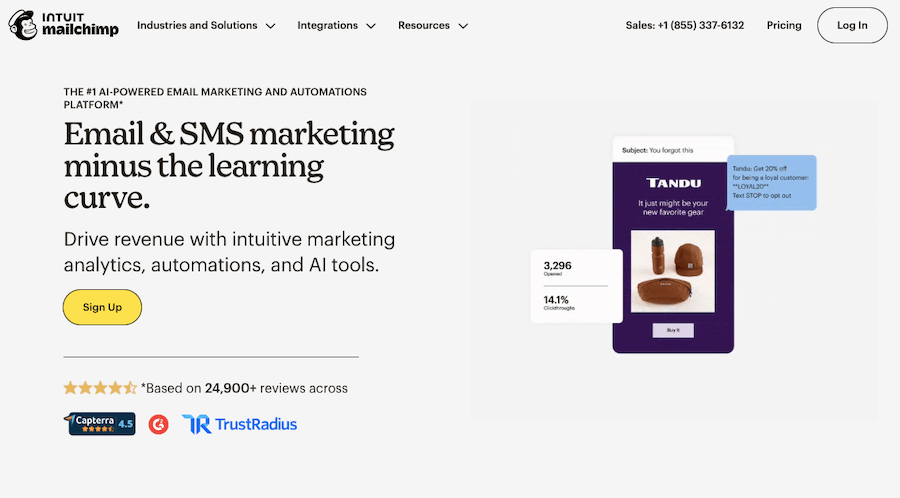
09. Mailchimp
Mailchimp is the recognized starting point for email marketing, and that familiarity helps when an HR team adopts its first nurture tool. Segmentation, templates, and automation cover most candidate communication needs, and the free tier lets a small team test the approach before paying.
Segmentation is the feature that matters most for recruitment. Splitting your list by role interest, location, or seniority means a software engineer and a sales hire do not get the same generic update, which keeps engagement up and unsubscribes down.
It is a clean entry point for teams new to email marketing. As campaigns grow more complex or you want CRM and email in one system, EngageBay or GetResponse may serve better.
Surveys, feedback and scheduling tools
This category covers the candidate experience layer: gathering feedback, running surveys, and removing scheduling friction that costs you good applicants between interest and interview.
10. SurveyMonkey
SurveyMonkey collects structured feedback from candidates, employees, and stakeholders. For recruitment marketing, the useful applications are post-interview candidate experience surveys, onboarding feedback, and employee satisfaction checks that feed your employer brand story.
Customizable templates and analytics make it quick to launch a survey and read the results without building anything from scratch. The data tells you where candidates lose interest and what current employees actually value, which is the raw material for honest brand messaging.
It works well for internal and candidate surveys at scale. For candidate-facing forms where design matters, the next tool fits better.

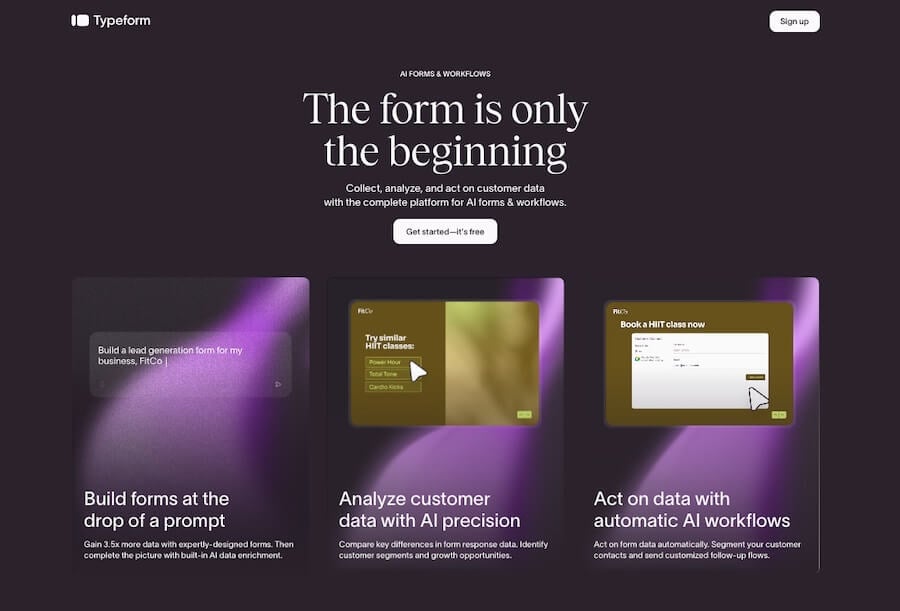
11. Typeform
Typeform builds forms and surveys that look like part of your brand rather than a generic questionnaire. The one-question-at-a-time format lifts completion rates, which matters when you are asking candidates to fill in an interest form or a screening questionnaire.
For HR marketing, use it for talent community sign-ups, application pre-screens, and event registrations where a polished candidate-facing experience protects your employer brand. The conversational style reduces the drop-off that plagues long, plain forms.
It is a better fit than SurveyMonkey when the form is candidate-facing and design carries weight. For internal data collection at volume, SurveyMonkey is usually the more economical choice.
Use it where first impressions count, such as a talent community sign-up or a screening form linked from a campaign. A short, well-designed form collects better data than a long one, because more candidates finish it.
12. Calendly
Calendly removes the back-and-forth of interview scheduling. You share availability, candidates book a slot directly, and the tool syncs with your calendar and sends reminders to both sides.
The marketing angle is conversion speed. Every hour between a candidate saying yes and a confirmed interview is a chance for a competing offer to land. Self-scheduling closes that gap and signals an organized, respectful process.
It integrates with common calendar apps and works for individual recruiters or panels. The free tier handles basic scheduling, and paid plans add round-robin and team routing for higher hiring volume.
Tie it to your other tools. A Calendly link inside a nurture email or on your careers page lets an interested candidate book time without a single back-and-forth message, which is often where slower competitors lose them.

Analytics and measurement tools
Without measurement, recruitment marketing is guesswork with a budget attached. This category tells you which channels bring applicants, which careers content converts, and where candidates leave.
13. Google Analytics and Search Console
Google Analytics and Search Console are free and cover the measurement most HR teams skip. Analytics shows how candidates reach your careers page, how long they stay, and where they exit. Search Console shows which search queries surface your roles and how often people click.
For recruitment marketing, this is how you prove value. If a LinkedIn campaign drives traffic that bounces immediately, the problem is the landing page, not the ad. If candidates search your company name plus “careers” and never reach a strong page, you have a content gap to fill.
The cost is setup time, not money. Adding tracking to your careers pages turns a black box into a feedback loop, and it underpins every other tool decision you make. It also pairs with workforce data work covered in our piece on AI-powered workforce forecasting.
A quick win that most HR teams miss: tag every campaign link with UTM parameters so analytics shows which post, email, or ad sent each visitor. Without tags, that traffic collapses into a vague direct or referral bucket, and you lose the source data that justifies the spend.
AI content and video tools
This is the layer that changed most by 2026. AI writing tools speed up the production of job ads and social copy, and accessible video tools let HR teams build employer brand content that text cannot carry.
14. AI copy tools: ChatGPT and Jasper
ChatGPT and Jasper draft job descriptions, social posts, candidate emails, and careers page copy in a fraction of the time. ChatGPT is the flexible generalist with a free tier; Jasper adds brand voice controls and marketing templates aimed at teams that publish often.
The practical use is the first draft. AI gets you from blank page to editable copy fast, then a human tightens the tone, checks the claims, and removes anything generic. Skipping that human edit is how companies end up with interchangeable job ads that read like every other listing.
Keep two rules. Never publish AI copy unreviewed, and never put confidential candidate or employee data into a public tool. Used with judgment, these tools raise output without lowering quality.
15. Video tools: VEED and Loom
VEED and Loom make employer brand video reachable for teams without a production budget. VEED handles editing, captions, and polished short-form clips; Loom records quick screen and webcam videos for personal candidate outreach or hiring-manager intros.
Video earns attention that text does not. A 60-second team intro, an office walkthrough, or a hiring manager explaining the role does more for candidate trust than a paragraph of copy. Captions matter, since most social video plays on mute.
Start small. One authentic employee video outperforms a glossy corporate reel that says nothing. These tools lower the barrier so you can test what resonates before investing more. They also complement the work covered in our guide to video interview software, which handles the later, evaluative stage.
Building employer brand content that candidates trust
Show the work, not the slogan
Tools only matter if the content running through them is honest. Candidates have learned to ignore generic culture statements, so the content that converts is specific: a real team explaining a real project, a frank description of the hard parts of a role, an unscripted answer about how decisions get made.
The most effective employer content is often the least polished. A two-minute Loom from a hiring manager about why the role exists beats a glossy brand film that says nothing. Use Canva and your video tools to make content clear and watchable, not to make it look like an advert.
A small content set covers most needs
You do not need a content factory. A short set, repeated well, covers most hiring: a few employee stories, one honest day-in-the-life per common role, a clear answer to the questions candidates actually ask, and job ads written for a person rather than a search engine.
Write job ads as marketing copy. Lead with what the person will do and why it matters, name the team and the manager, and cut the boilerplate requirements list that scares off good candidates who meet most but not all of them. An AI tool can draft this in minutes, but the specifics that make it credible have to come from you.
The full tool lineup at a glance
Compare the tools side by side
The table below summarizes every tool by category, best fit, and pricing model. Pricing models are stable; exact figures change often, so check the official site before budgeting.
All 15 tools by category, best fit, and pricing model
| Tool | Category | Best for | Pricing model |
|---|---|---|---|
| LinkedIn Talent Solutions | Branding and social | Professional hiring at volume | Quote based |
| Buffer | Branding and social | Consistent multichannel posting | Freemium, per channel |
| Canva | Branding and social | On-brand design without a designer | Freemium, per seat |
| Missinglettr | Branding and social | Recirculating long form content | Freemium, tiered |
| SmartRecruiters | Recruitment marketing | Mid-market and enterprise teams | Quote based |
| TalentLyft | Recruitment marketing | Growing teams wanting one platform | Subscription, tiered |
| EngageBay | Email and nurture | CRM plus email in one tool | Freemium, tiered |
| GetResponse | Email and nurture | Campaigns with webinars and pages | Subscription, tiered |
| Mailchimp | Email and nurture | First email tool for small teams | Freemium, tiered |
| SurveyMonkey | Surveys and feedback | Internal and candidate surveys | Freemium, per seat |
| Typeform | Surveys and feedback | Branded candidate-facing forms | Freemium, tiered |
| Calendly | Scheduling | Removing interview scheduling friction | Freemium, per seat |
| Google Analytics and Search Console | Analytics | Measuring careers content | Free |
| ChatGPT and Jasper | AI content | Faster first drafts of copy | Freemium and subscription |
| VEED and Loom | Video | Employer brand video on a budget | Freemium, tiered |
Small team versus large team: how the stack changes
A team of one to three
At this size, the constraint is time, not budget. The stack should lean on free tiers and tools that cover more than one job, so you are not logging into six platforms a day. A LinkedIn page, Canva, one scheduler, one email tool, Calendly, and free analytics is enough to run real recruitment marketing.
Avoid anything that needs a dedicated administrator or a long setup. A small team that buys an enterprise platform usually ends up using a tenth of it while paying for all of it. Consolidation matters more than capability here.
A larger or scaling team
Past a certain hiring volume, the cost of disconnected tools and manual handoffs outweighs any subscription savings. This is the point to bring in a recruitment marketing platform that combines a careers site, talent CRM, and analytics, and to formalize who owns each part of the funnel.
Larger teams also need governance: shared brand assets, approval steps for what gets published, and consistent measurement across recruiters. The tools change less than the process around them. A clear owner for employer brand is often worth more than another piece of software.
How to choose your stack
Buy for the gap, not the brand
The temptation is to assemble an impressive set of logos. The better approach is to find the weakest stage in your funnel and fix that first. If candidates apply but never finish, your problem is the careers site and forms, not your social reach.
Add one tool, measure for a quarter, and only expand when the data tells you the next gap. A lean stack that you actually use beats a comprehensive one that nobody opens. Most teams overestimate how many tools they need and underestimate how much consistency matters.
The checklist below covers what to test before you commit to any tool in this guide. Run a new tool through every line before it earns a place in your stack.
Run every tool through this checklist before you buy
A tool should clear all seven before it joins your stack. If it fails on integration or data handling, no feature set makes up for it.
Connecting your marketing stack to your ATS and HRIS
One source of truth, not five
A marketing stack that does not talk to your core systems creates more work than it saves. If a candidate who replies to a nurture email has to be re-entered by hand into your applicant tracking system, you lose time, introduce errors, and split your reporting across tools that disagree.
Before adding any tool, check how it moves data in and out. Native integration with your ATS or HRIS is best, a reliable connector through a tool like Zapier is acceptable, and no integration at all is a warning sign for anything candidate-facing.
Decide where each record lives
Map which system owns which data before candidates start flowing through. A common pattern is the talent CRM owning pre-application contacts, the ATS owning active applicants, and the HRIS owning hires. When the boundaries are clear, handoffs are clean and nobody argues about which list is current.
This is also where data privacy gets decided in practice. Every integration is a point where candidate data moves, so confirm that each tool in the chain meets the privacy rules that apply to the regions you hire in, and that retention settings match your policy.
Measuring what these tools deliver
Tie every tool to a metric
A marketing stack you cannot measure is a cost center with no defense at budget time. The fix is to attach each tool to a metric and review it on a fixed schedule. The point is not to drown in dashboards; it is to know whether the money produces hires.
Most HR teams already track time to hire and cost per hire. Recruitment marketing adds a layer above those: the metrics that explain why the pipeline is healthy or thin in the first place. The reference below defines the ones worth watching and where to find each.
Recruitment marketing metrics worth tracking
| Metric | What it tells you | Where to track it |
|---|---|---|
| Source of applicant | Which channels actually produce candidates | ATS, Google Analytics |
| Cost per applicant | Whether a channel is worth the spend | Ad platform plus ATS |
| Careers page conversion rate | How many visitors start an application | Google Analytics |
| Application completion rate | Where candidates abandon the form | ATS, careers site analytics |
| Talent pool size and growth | How strong your pipeline is before a role opens | Talent CRM |
| Email open and reply rate | Whether nurture content holds attention | Email platform |
| Time to schedule interview | How fast interest turns into a meeting | Scheduling tool |
Common mistakes HR teams make with marketing tools
The errors that waste the budget
Most failed HR marketing stacks fail for predictable reasons, and none of them is the tool. They come from buying before strategy, ignoring measurement, and treating candidates as records rather than an audience. The card grid below covers the recurring traps and what to do instead.
Six traps that drain the stack and the budget
Tools get bought because a competitor uses them. Define the funnel gap first, then shortlist products.
Spending without tracking source and conversion means you cannot defend the budget or improve results.
Different visuals and tone across LinkedIn, email, and the careers page signal a disorganized employer.
A talent pool is an audience to engage, not a database to file. Generic blasts kill nurture results.
Overlapping tools that nobody fully uses cost money and split data. Consolidate where one platform can cover two jobs.
Candidate data carries legal duties. Putting it into public AI tools or non-compliant platforms creates real risk.
Where HR should start
If you are building from nothing, a workable starting stack costs little and covers the funnel: a free LinkedIn company page for presence, Canva for design, Buffer for scheduling, Mailchimp for nurture, Calendly for scheduling, and Google Analytics for measurement. That set proves the approach before you spend on a talent CRM or recruitment marketing platform.
Once the pipeline shows demand and the free tools hit their limits, add a recruitment marketing platform like TalentLyft or SmartRecruiters to consolidate the careers site and CRM. Layer in AI copy and video tools when content volume justifies them. Grow the stack to match the hiring, not the other way around.
Phase it. In the first quarter, set up presence, design, scheduling, and analytics, and publish on a steady rhythm. In the second, add email nurture and start building a talent pool. Only in the third, once you have demand and data, commit to a paid recruitment marketing platform. Each phase earns the next, and nothing gets bought on a hunch.
For more on the systems these marketing tools connect to, see our guides to applicant tracking software and HRIS platforms, and browse the full HR Stacks blog for tool reviews and comparisons.
What a marketing stack will not do
These tools get the right people to apply. They do not tell you who to hire. Confusing the two produces a slick employer brand attached to weak selection, where strong candidates arrive and then drop out during a clumsy interview process.
Keep the marketing layer separate from the evaluation layer in your planning. Once a candidate applies, the work shifts to your applicant tracking system, structured interviews, and tools like video interview software. A marketing stack that feeds a broken hiring process only helps more people experience the problem.
The same caution applies after the offer. Attracting and hiring a strong candidate counts for little if the first weeks are disorganized, so treat onboarding as the continuation of the promise your marketing made, not a separate administrative task that starts from scratch.
None of this lowers the value of the marketing stack. It sets the boundary. The tools in this guide win the attention and the application. The systems after them decide whether that attention turns into a hire who stays.
Frequently asked questions
Yes, if you compete for candidates rather than just process applications. These tools build awareness, nurture talent pools, and improve the candidate experience, which a job board post alone cannot do.
An ATS manages candidates after they apply. A recruitment marketing tool attracts and engages them before they apply, through careers sites, talent CRMs, and campaigns. Platforms like TalentLyft and SmartRecruiters combine both.
For a small team, yes. A free LinkedIn page, Canva, Buffer, and Google Analytics cover branding, design, scheduling, and measurement. Paid tools matter once hiring volume and content needs outgrow the free tiers.
Start with the weakest funnel stage. If candidates do not know you, begin with social and design tools. If they apply but drop off, fix scheduling and your careers page first.
For drafting job ads and posts, yes, with a human edit before publishing. Never enter confidential candidate or employee data into public AI tools, and review all output for accuracy and tone.
Tie each tool to a metric: source of applicant, cost per applicant, careers page conversion, and application completion rate. Google Analytics and your ATS together cover most of this for free.