
Quick answer: how do you protect employee data in HR?
Protect employee data by limiting who can see it, requiring multi-factor sign-in, encrypting it, logging access and vetting every vendor. Verizon’s 2026 report finds people were involved in 62% of breaches. IBM puts the average breach at $4.99 million worldwide.
- Average cost$4.99M per breach worldwide
- First stepRemove access nobody needs
- Main riskPeople are involved in 62%
- Notice deadline72 hours under GDPR
Key takeaways
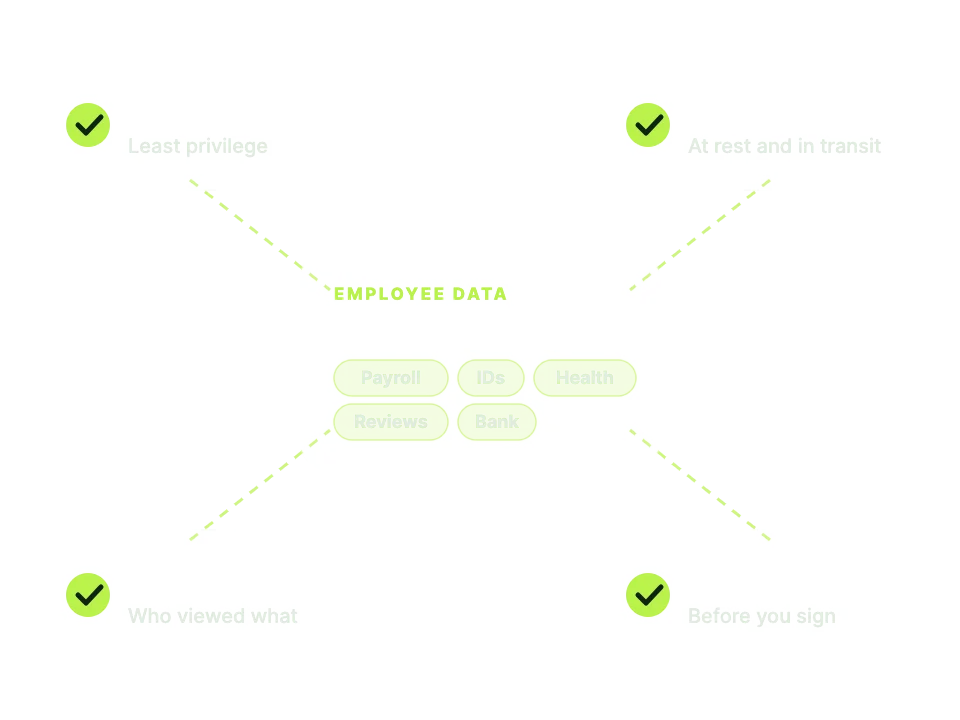
HR holds the most complete set of personal data in most companies: identity documents, bank accounts, pay, health notes, performance reviews and family details. It mostly sits in your HR software and payroll tools, and one mistake can expose all of it at once.
This guide covers what is at risk, what a breach costs, how breaches start, who should have access, how to check an HRIS vendor, what changes with analytics and AI, which rules apply and a 90-day plan you can run with a small team.
What HR data attackers want
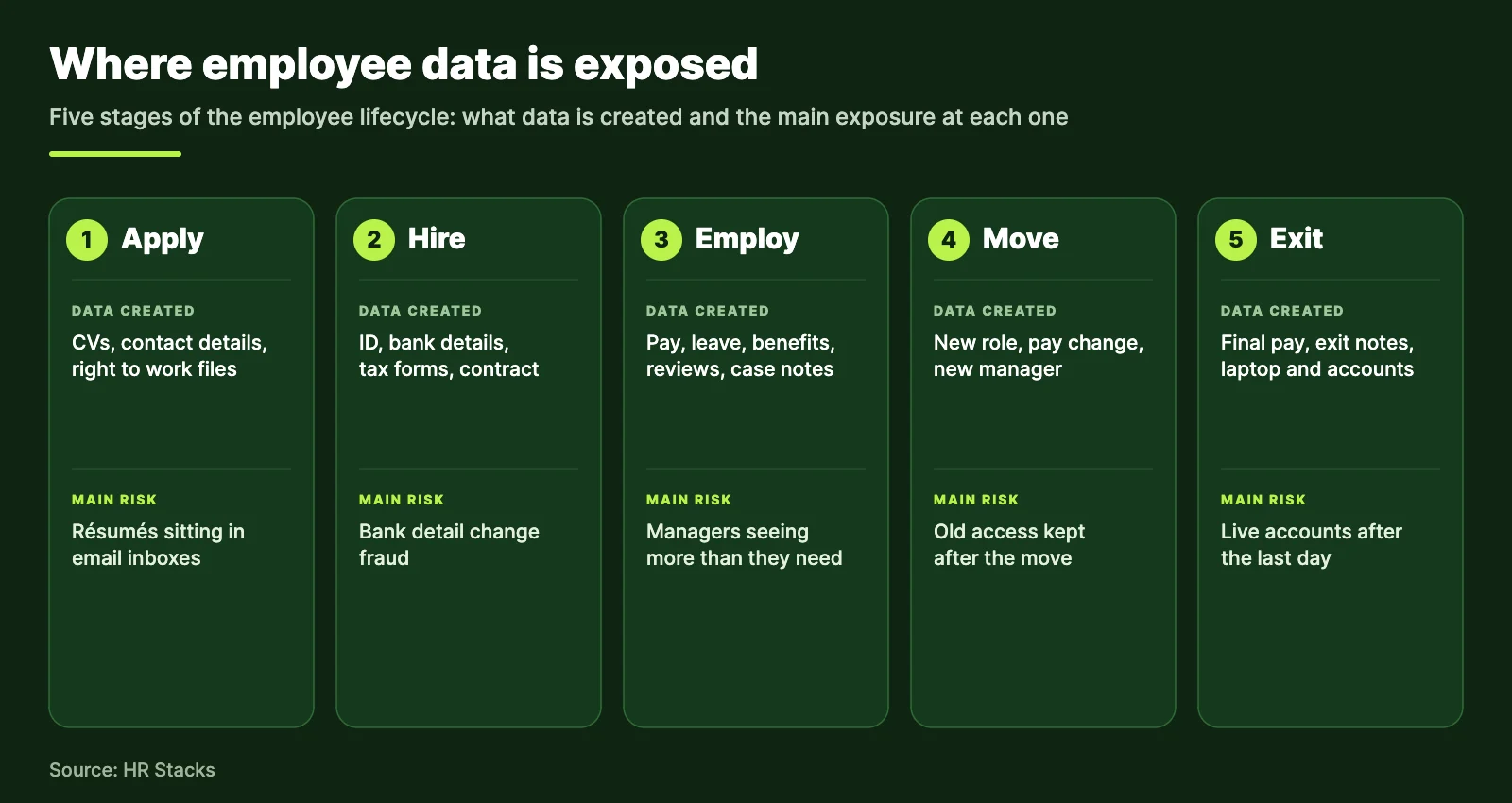
Attackers go for whatever turns into money or leverage fastest: bank details, identity documents, health and leave records and performance data. Each type fails differently, so protect them differently.
Bank and pay data
Fraudsters redirect salary with a fake bank change request.
Identity documents
Passport, tax and national ID numbers support identity theft.
Health and leave
Medical notes and accommodations are sensitive and often legally protected.
Reviews and analytics
Ratings and case notes cause harm if exposed, even with no financial motive.
Two things raise the stakes for HR. The data is concentrated in a few systems, and it is shared with payroll, benefits and recruiting vendors. Every export, spreadsheet and email attachment is another copy to protect, which is one reason HR workflow automation helps security as well as speed.
What an HR data breach costs
IBM’s 2026 Cost of a Data Breach report puts the global average at $4.99 million, up 12% in a year, and the US average at $11.5 million. The first two figures below are IBM’s. The last two come from Verizon’s 2026 Data Breach Investigations Report.
IBM also found that organizations using security AI and automation extensively saved an average of $1.93 million per breach and contained it 65 days sooner. Read that as proof that speed of detection pays, not as a reason to buy an AI tool before you fix access.
Where HR data breaches start
Verizon’s 2026 report points to three common starts: people being tricked, vendors being compromised and unpatched software. Three popular beliefs about HR security do not hold up against that data.
Inside HR, the usual slips are plain: a payroll file emailed to the wrong person, a shared spreadsheet open to anyone with the link, a report exported to a personal laptop. Each one is an access problem, not a technology problem.
Who should see what
Each person should see only the data their job needs, and nothing more. This is least privilege, and it limits the damage when a single account is stolen or misused.
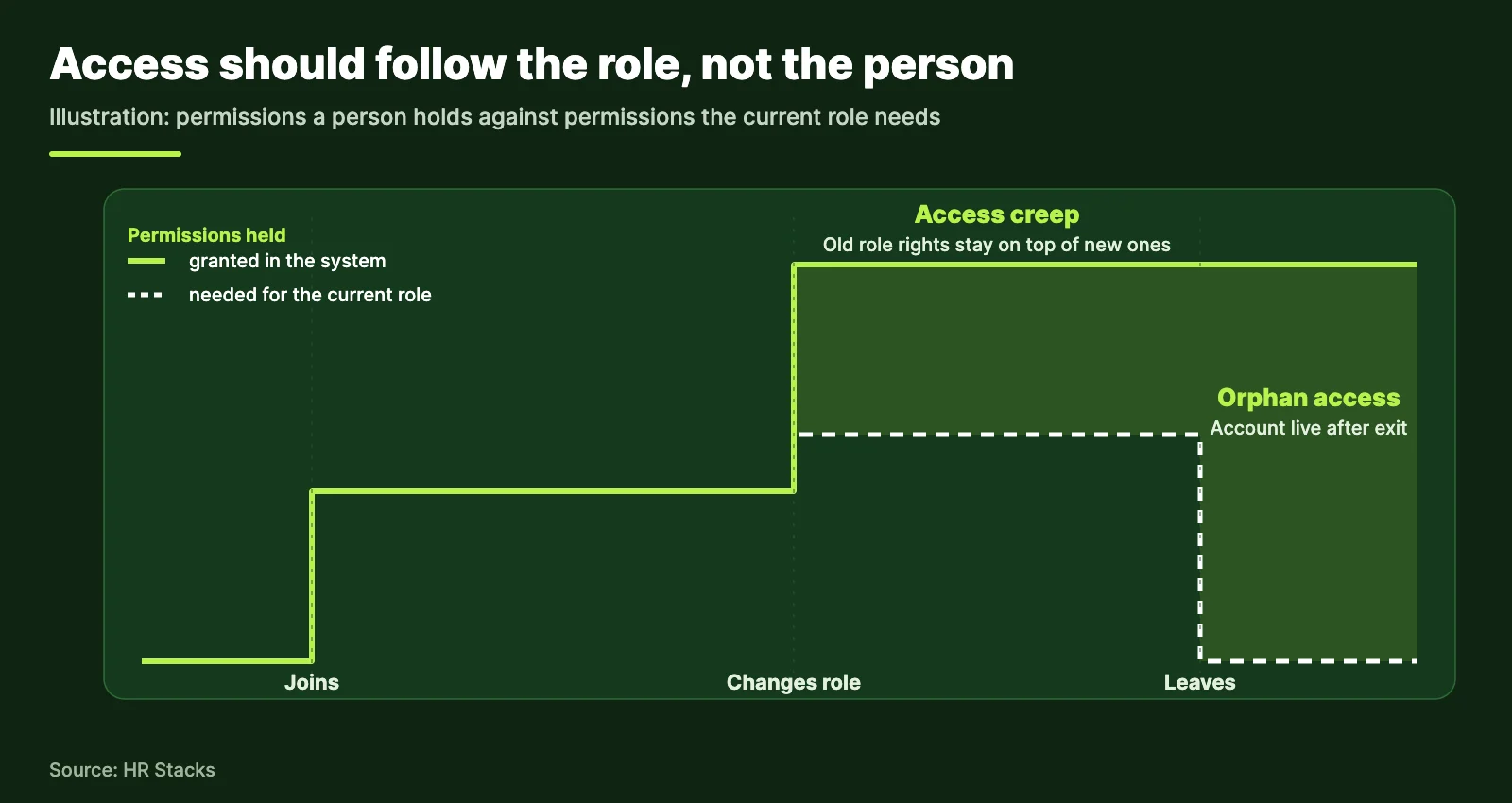
Start with roles, not names. Define four to six roles, grant data by role and review the list every quarter. The matrix below is a starting point, not a standard. Adjust it to local law and your size.
Roles only work if access changes when people do. Where your HRIS can trigger these steps automatically, use that. Otherwise run this list at every joiner, mover and leaver.
- Create accounts from a role template, never by copying a colleague.
- Remove old role access on the day of a transfer, not at the next review.
- Disable every account and revoke device access on the last working day.
- Reassign or archive the leaver’s files and shared folders.
- Review who holds admin rights every quarter and remove unused ones.
- Require multi-factor sign-in for every HR system admin, using an app or hardware key where possible.
How to evaluate HRIS security
Ask every vendor for proof in six areas, and weight each by how much damage a failure there would cause. Request the documents before the demo: a recent independent audit report such as SOC 2 Type II or an ISO 27001 certificate, a penetration test summary, the data processing agreement and the sub-processor list.
Here is a weighting we suggest for a scorecard. It is our judgment, not a standard. Score each vendor from 0 to 5 per row, multiply by the weight and compare totals.
- Access control and roles25%
- Authentication and MFA20%
- Encryption and data location15%
- Audit logs and monitoring15%
- Vendor assurance and audits15%
- Backup and incident response10%
Good signs
- Custom roles with field-level permissions on salary and ID data
- MFA enforced by the admin, with single sign-on support
- Exportable audit logs that record views as well as edits
- Encryption at rest and in transit stated in writing
- Named sub-processors and a breach notice clause with a limit in hours
Red flags
- A security page full of badges, but no audit report on request
- Admins cannot restrict who sees pay or ID fields
- No log of who viewed a record
- Breach notice “promptly”, with no timeframe
- No deletion process when you leave the platform
Shortlist first, then score. Our best HRIS software list and the HRIS vs HRMS explainer help you narrow the field. Global payroll and EOR platforms such as Deel and Rippling hold identity and bank data for staff in many countries, so they need the same scorecard.
People analytics and AI risk
Analytics and AI tools multiply the copies of employee data, so decide what they may see before you switch them on. The two rules below cover most of the exposure.
Re-identification is the second trap. Removing names is not enough when job title, location, hire date and pay band together point to one person. Test a dataset by asking whether you could name someone from the remaining fields alone.
Ask analytics vendors whether your data trains their models, where it is stored and how deletion works. In the EU, GDPR Article 22 also limits decisions made solely by automated means that significantly affect people, which can include hiring and dismissal tools.
Rules that apply to employee data
Which rules apply depends mainly on where your employees live and where you operate, not only where your company is based. This is general information, not legal advice.
Employee data rules at a glance
Verified 9 Nov 2026Count countries before you count laws. A company with staff in the EU, California and Canada has three regimes to meet, and an EOR or global payroll provider adds another party handling the data. Sources: GDPR text, California Attorney General, NCSL and NIST.
A 90-day security plan
Spend the first 30 days on access, the next 30 on vendors and the last 30 on people and practice. Then repeat the cycle each quarter.
- Days 1 to 30Map where HR data lives, list who can access each system, remove unused accounts and turn on MFA for every admin.
- Days 31 to 60Request audit reports from your HRIS, payroll and benefits vendors, score them and record their breach notice terms.
- Days 61 to 90Train managers on phone, text and chat scams, publish the AI use rule and run a one-hour breach drill.
- Then repeatSchedule the quarterly access review and a yearly vendor check.
Run the drill on a concrete case, such as a payroll file emailed to the wrong address, and time how long it takes to work out who must be told. If you want a structure to report against, NIST’s Cybersecurity Framework 2.0 groups this work into Govern, Identify, Protect, Detect, Respond and Recover.
What to include in a breach drill
Name the person who confirms a breach, the person who decides to notify, the vendor contacts and the template message to staff. Time each handoff and fix the slowest one.
What to ask vendors in writing
Ask for the breach notice period in hours, the sub-processor list, data location, the deletion process at exit and the date of the latest independent audit report.
Frequently Asked Questions
What is HR cybersecurity?
It is the set of controls that protect employee data held by HR: who can access records, how people sign in, how data is encrypted and logged, which vendors handle it and how the team responds to a breach. It covers people and process as much as software.
Who is responsible for protecting employee data, HR or IT?
Both. IT runs the systems, but HR decides who needs which data and when access should start or end. Most failures happen at role changes and exits, which are HR events. Name an owner in each team and write the split down.
How do I evaluate the security of an HRIS vendor?
Ask for a recent independent audit report such as SOC 2 Type II or an ISO 27001 certificate, a penetration test summary, the data processing agreement and the sub-processor list. Then score access control, sign-in, encryption, logging, vendor assurance and incident response.
How fast must a data breach be reported?
Under GDPR, the controller must notify the regulator within 72 hours of becoming aware of a breach, unless it is unlikely to risk people’s rights. In the US, all 50 states have their own notice laws, so timing depends on where affected employees live.
Does GDPR apply to employee data?
Yes. GDPR covers any personal data of people in scope, including staff and applicants. Article 88 also lets EU member states add specific rules for employment data. Check local law for monitoring, retention and works council requirements.
Is it safe to use AI tools on HR data?
Only approved tools with a signed data agreement. Verizon’s 2026 report describes employees uploading internal documents and data to unapproved AI platforms. Ban pasting employee records into public chatbots, and ask vendors whether your data is used to train their models.
How often should access to HR systems be reviewed?
Review admin and payroll access every quarter, and review each person’s access whenever their role changes or they leave. Tie the review to HR events in your HRIS so it happens by default rather than from a yearly spreadsheet.