


Teamtailor Key Facts
What Is Teamtailor?
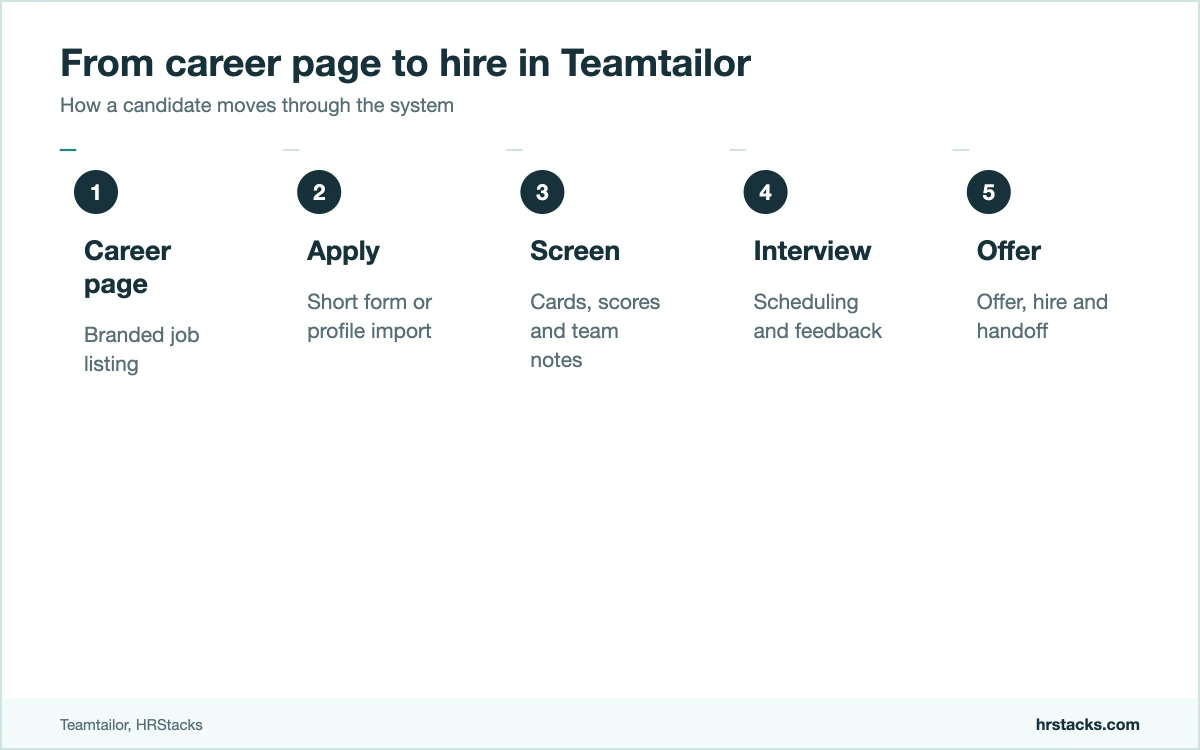
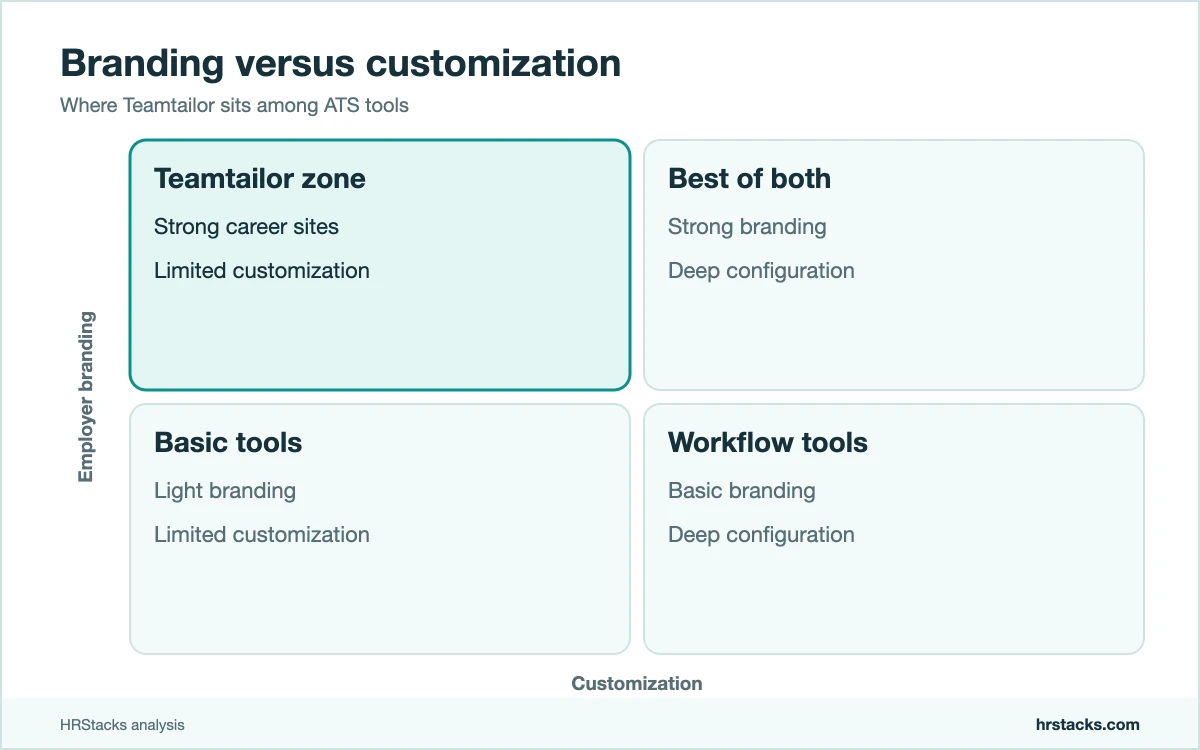
Teamtailor is an applicant tracking system with a built-in career site builder. It pairs standard ATS features, such as pipelines, collaboration and scheduling, with tools for employer branding, so the career page is part of the product.
Every plan includes unlimited users and unlimited job postings, which sets it apart from tools that charge per seat. Pricing instead scales with company size, which is why buyers get quotes rather than a rate card.
It fits in-house recruiting teams at mid-size companies, roughly 50 to 1,000 employees, that want a polished careers page and an easy tool for hiring managers. It handles hiring only, so teams building abroad still need an HRIS and an employer of record.
Editor’s Verdict on Teamtailor
Teamtailor is a well-liked ATS with the strongest career site tools in this group. It holds 4.6 out of 5 on both major review sites, from over 600 reviews combined.
We score it just below that average because pricing is opaque, customization is limited and reporting draws mixed comments, even though ease of use and support are excellent.
Teamtailor Pros and Cons
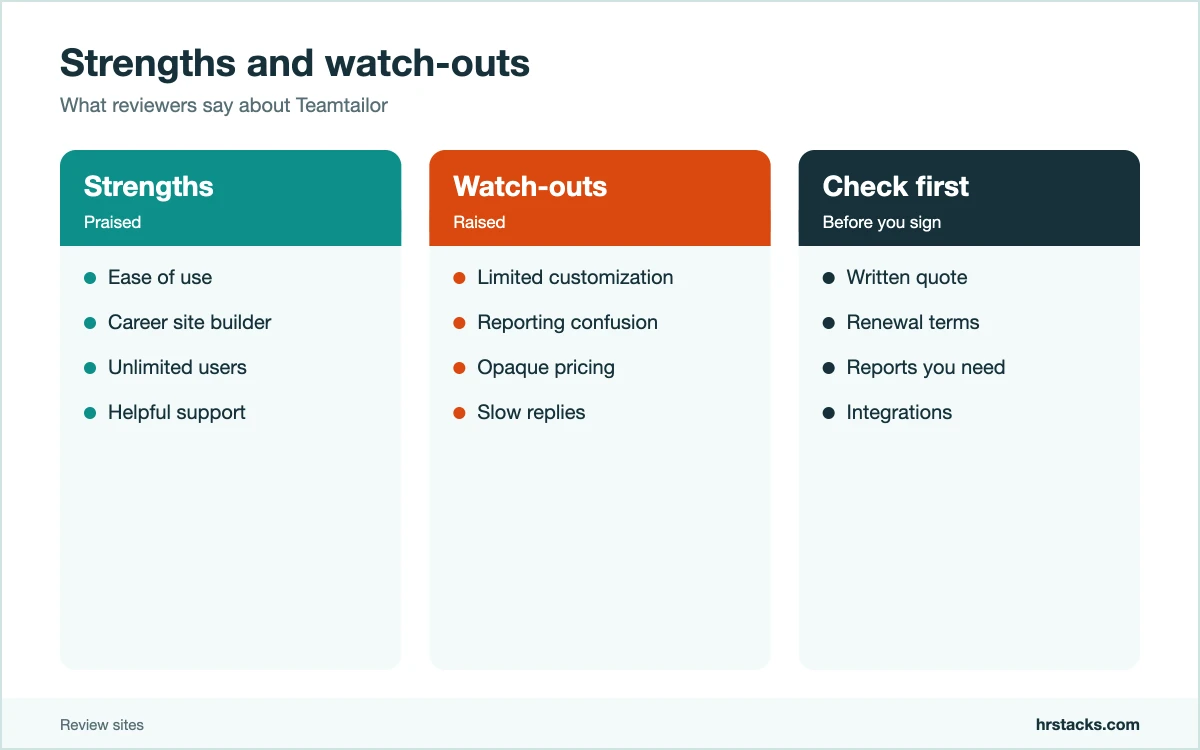
Teamtailor is at its best when hiring managers and recruiters share one easy tool and the careers page matters. Its main weaknesses are a hidden price list and limited customization.
Strengths
- Career site builderTeams build branded career pages inside the ATS and keep employer branding next to applicants.
- Unlimited users and job postsEvery plan includes unlimited seats and postings, so adding hiring managers costs nothing extra.
- Easy for everyoneReviewers rate ease of use at 4.7 and say it is simple for new users and hiring managers.
- Responsive supportReviewers rate customer service at 4.7 out of 5, a high mark in this category.
Limitations
- No public pricingPlans are quoted by company size, so you only learn cost on a sales call.Alternative: Workable, with published plan tiers
- Limited customizationLimited customization is the top complaint, with some reviewers wanting more control over fields and reports.Alternative: Pinpoint, with more configurable workflows
- Reporting can confuseA few reviewers find analytics hard to read and the reminder emails excessive.Alternative: Recruitee, with simpler reporting views
Teamtailor Features
Teamtailor combines an ATS with employer branding tools. Plan tiers add automation, AI and analytics, so confirm what your quote includes.
Core hiring
- Applicant trackingPipelines, candidate cards, collaboration and scheduling.Strong
- Career site builderBranded career pages and job listings inside the platform.Strong
- Unlimited users and jobsNo per-seat or per-job fees on any plan.Strong
- Candidate communicationMessaging, templates and automated emails.Adequate
Automation and insight
- Automated workflowsRules that move candidates and trigger tasks.Adequate
- AI co-pilotAI help with job ads and candidate summaries on higher tiers.Adequate
- AnalyticsFunnel and source reports, with depth varying by plan.Adequate
- Candidate surveysNPS-style feedback from applicants.Limited
Teamtailor Integrations
Teamtailor connects to job boards, HRIS, calendars and assessment tools. Reviewers say setup is simple, but check your payroll and HRIS before signing.
 BambooHR
- Personio
- Workday
- LinkedIn
- Indeed
- Google Calendar
- Slack
- Zoom
Teamtailor Pricing
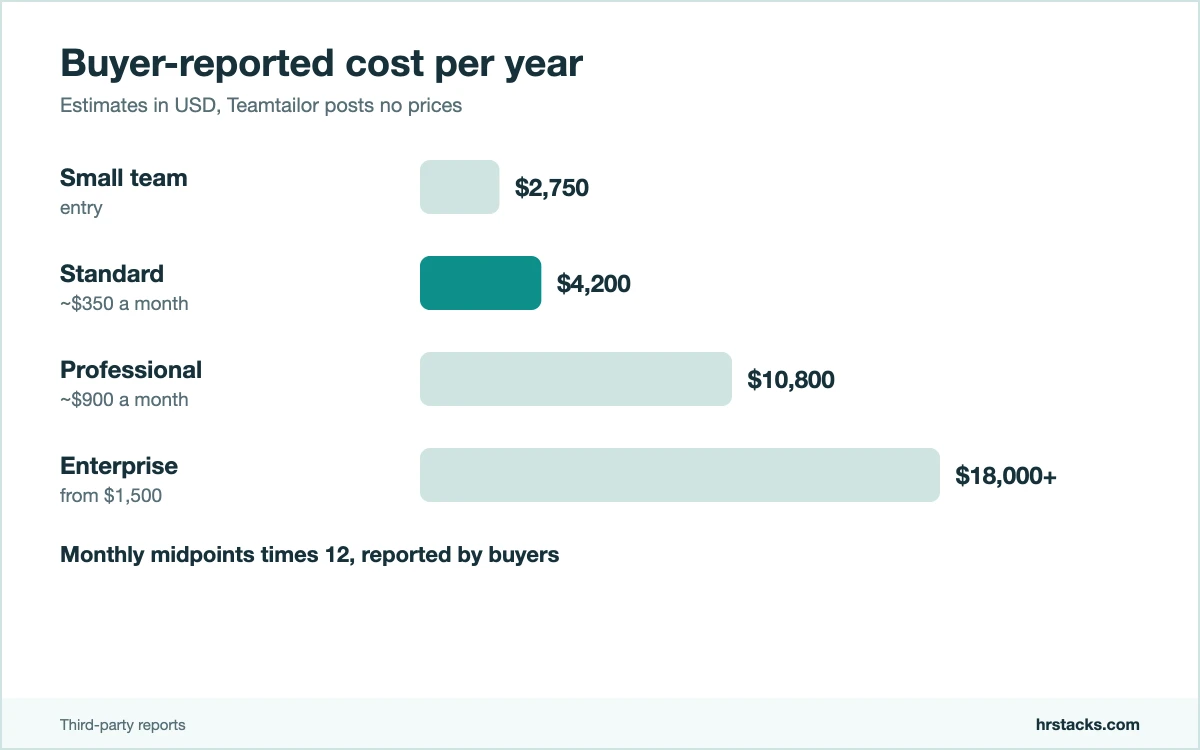
Teamtailor does not publish prices. Its pricing page asks for a quote and says cost depends on company size, with unlimited users and job posts on every plan. The figures below are buyer-reported and from third-party trackers, not from Teamtailor.
Published plans
Per month, USD, for the whole company. Buyer-reported estimates.
Fees and contract terms
What Teamtailor states publicly, and what to get in writing before you sign.
Buyer-reported cost per year
Annual cost from monthly buyer-reported figures.
Who Should Use Teamtailor?
Teamtailor suits in-house recruiting teams that want an easy tool for hiring managers and a career site that reflects the brand. It is a weaker fit for teams that need heavy customization, deep reporting or a published price.
Best for
- In-house recruiting teams at companies of roughly 50 to 1,000 employees.
- Employers that treat the careers page as a brand asset.
- Teams with many hiring managers who need free, unlimited access.
- European and global employers that want a polished candidate experience.
Teamtailor Alternatives
These three are the ATS tools Teamtailor most often meets on a shortlist. The deciding factors are career site quality, price clarity and customization.
Teamtailor vs PinpointPinpoint offers more configuration, Teamtailor more polish
Choose Pinpoint if configurable workflows matter more. Read our Pinpoint review
Teamtailor vs RecruiteeRecruitee is collaborative, Teamtailor is brand-led
Choose Recruitee if you want published plan tiers. Read our Recruitee review
Teamtailor vs WorkableWorkable publishes prices, Teamtailor hides them
Choose Workable if you want listed pricing and built-in sourcing. Read our Workable review
What Users Say About Teamtailor
Reviews are strong and plentiful. Teamtailor holds 4.6 out of 5 on both major review sites, from 523 and 109 reviews. Ease of use and support lead the praise. Limited customization, some support delays and reporting complaints lead the negatives.
What users praise
- Easy to useEase of use is the top theme, with reviewers rating it 4.7 out of 5.
- Helpful supportCustomer support is a leading positive on the biggest review site and scores 4.7 on the other.
- Simple to set upReviewers say it is easy to set up and integrate with other systems.
- Good for hiring managersUsers call it friendly for people who only occasionally recruit.
What users complain about
- Limited customizationLimited customization is the most common negative theme among reviewers.
- Some support gapsA smaller group reports poor customer support or slow replies.
- Reporting confusionSome reviewers say the analytics page is hard to read.
- Too many reminder emailsA reviewer notes repeated reminders to write about candidates after doing so.
Is Teamtailor Worth It?
Choose Teamtailor if you want an easy ATS, unlimited users and a career site that looks like your brand. Skip it if you need a published price, deep customization or reporting depth.
Before signing, get a written quote based on your headcount, check how renewals scale with hiring volume and test the reports your team relies on.
Confirm these before you buy
None of them appear on Teamtailor’s pricing page.
- Written quoteGet plan, term and price in writing for your headcount.
- Renewal termsAsk how pricing changes as hiring volume grows.
- Reporting needsTest the reports your team needs in a trial.
- Career sitePreview your branded page before you commit.
- IntegrationsCheck your HRIS and job boards connect on your plan.
Teamtailor: Common Questions
These are the questions buyers ask most about Teamtailor. Prices are buyer-reported estimates, since Teamtailor publishes none.
How much does Teamtailor cost?
Teamtailor does not publish prices. Buyer reports put entry plans from about $229 to $400 a month, rising with company size.
Does Teamtailor have a free plan?
No. There is no free plan, but a free trial is available.
Does Teamtailor charge per user?
No. Every plan includes unlimited users and unlimited job postings.
What is Teamtailor best at?
Its career site builder and employer branding tools are its standout features, alongside an easy interface.
Is Teamtailor good for small teams?
It can work for small teams, but quote-based pricing and a reported minimum entry cost mean tools with free or low-cost tiers may fit better.
What are Teamtailor’s main downsides?
Reviewers cite limited customization, mixed reporting and some support delays.
Does Teamtailor include AI features?
An AI co-pilot and automated workflows are listed, with depth depending on your plan.
Does Teamtailor work for global hiring?
Teamtailor supports hiring across regions and is popular in Europe, but it is an ATS, not payroll software.
For hires where you have no entity, pair it with an employer of record.